The four steps before your first study
From an empty account to a survey in the field. The order matters: each step needs the one before it.
Four things, in this order. It is not a suggestion — each one needs the previous: without a tree there is nowhere to put employees, and without nodes there is nothing to assign a questionnaire to. That is why the first three live together as tabs of Configuration instead of being scattered across the menu.
1. The tree
You create your root node —with whatever name and type you want— and hang the structure off it. The organization itself never appears in the tree: you place the root.
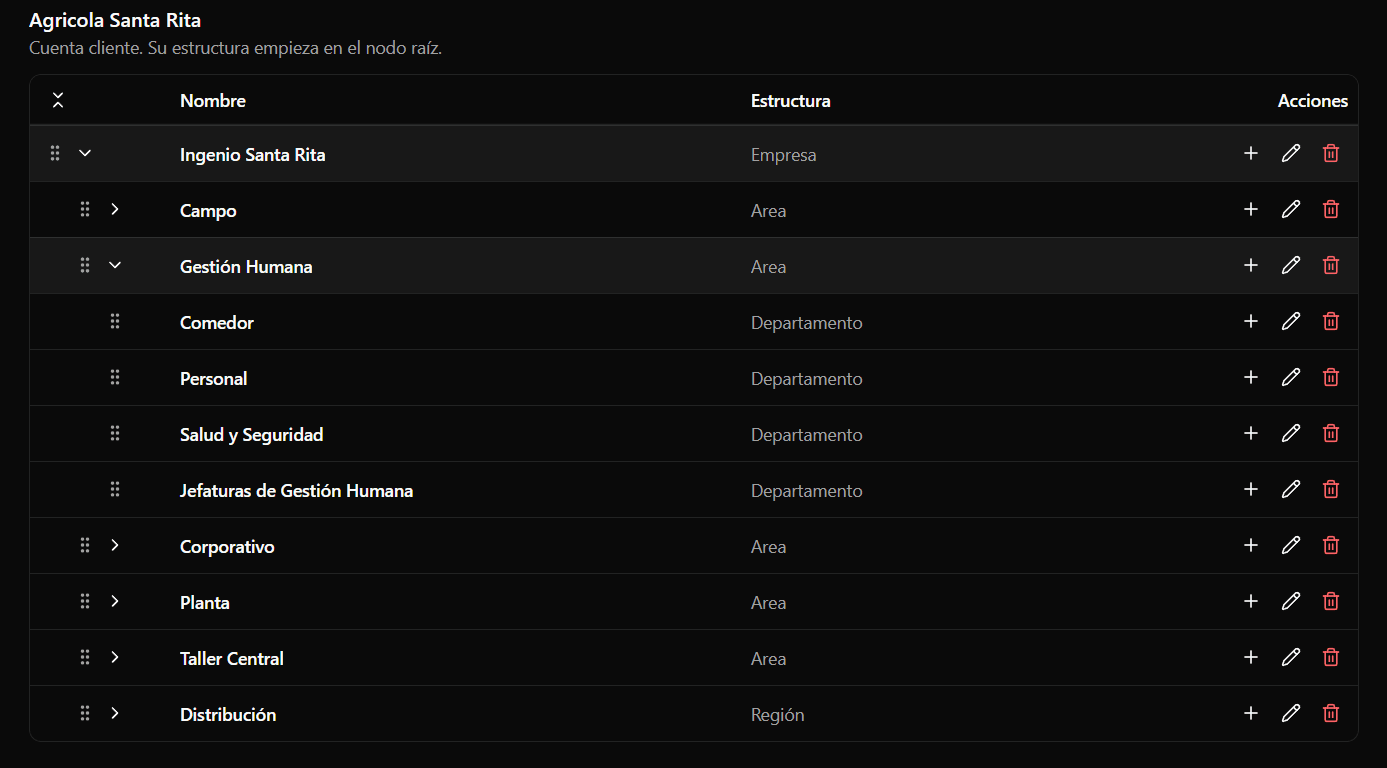
Before subdividing much, read The org tree: the shape you give it here decides what you will be able to compare later, and branches with very few people produce results that will never be publishable.
2. The roster
Each person goes in a node. You add them one by one, or import from Excel, which is the sane option above twenty people.
The import happens in three beats —analyze, preview, and only then execute— so you see what is going to happen before it happens: how many rows go in, which ones have problems, and what will be created.
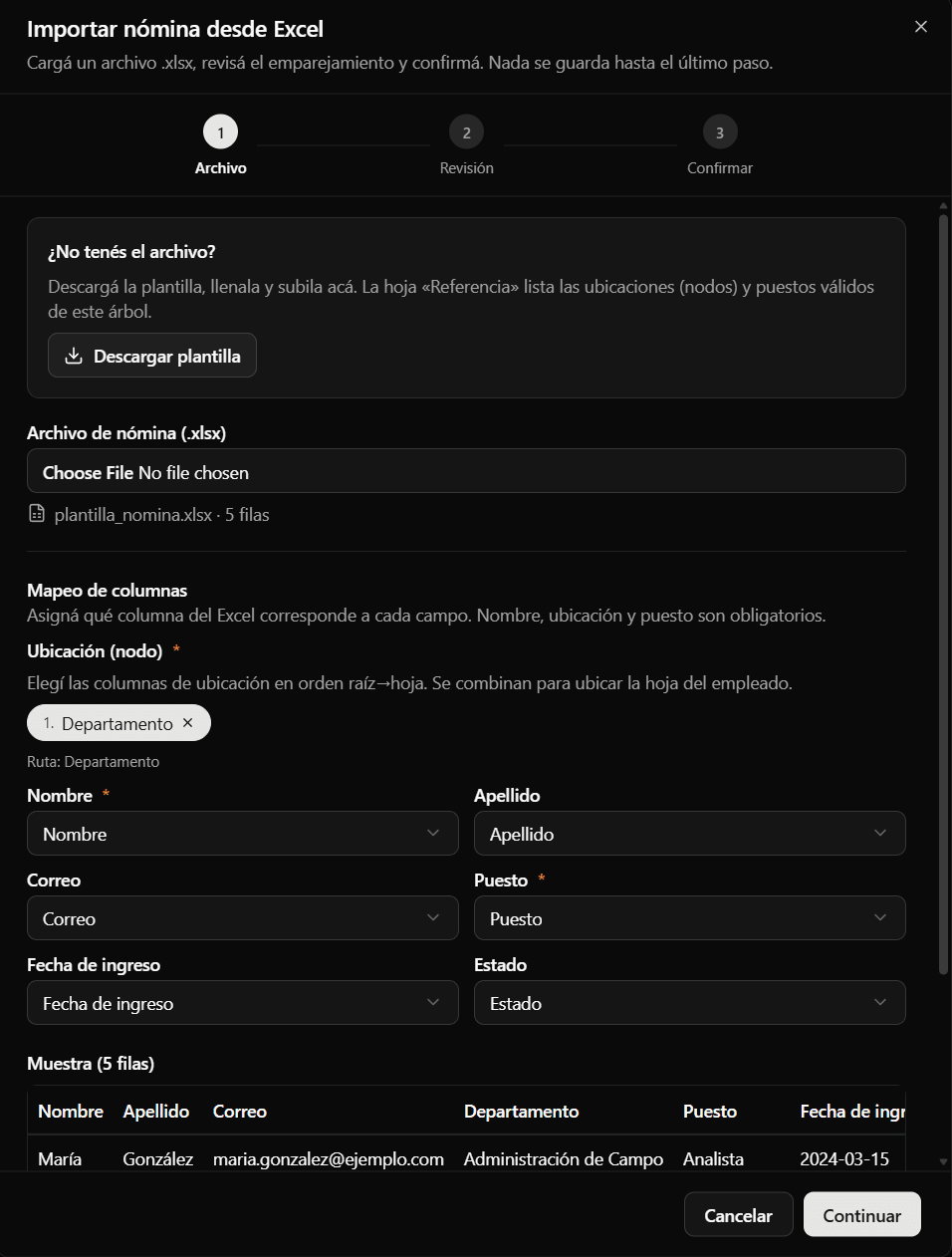
The roster decides who gets asked, so it is worth having it current before you launch. It is also what your plan's headcount allowance is counted against (see Account and plan).
3. The questionnaires
The questionnaire has the common core —the questions that make results comparable across areas and across years— plus whatever own questions you add.
It is assigned to a node and all of its descendants inherit it. That is what saves you from assigning it store by store: attach it to the root and the whole company has it; later, if one branch needs something different, you assign it its own and that branch stops inheriting.
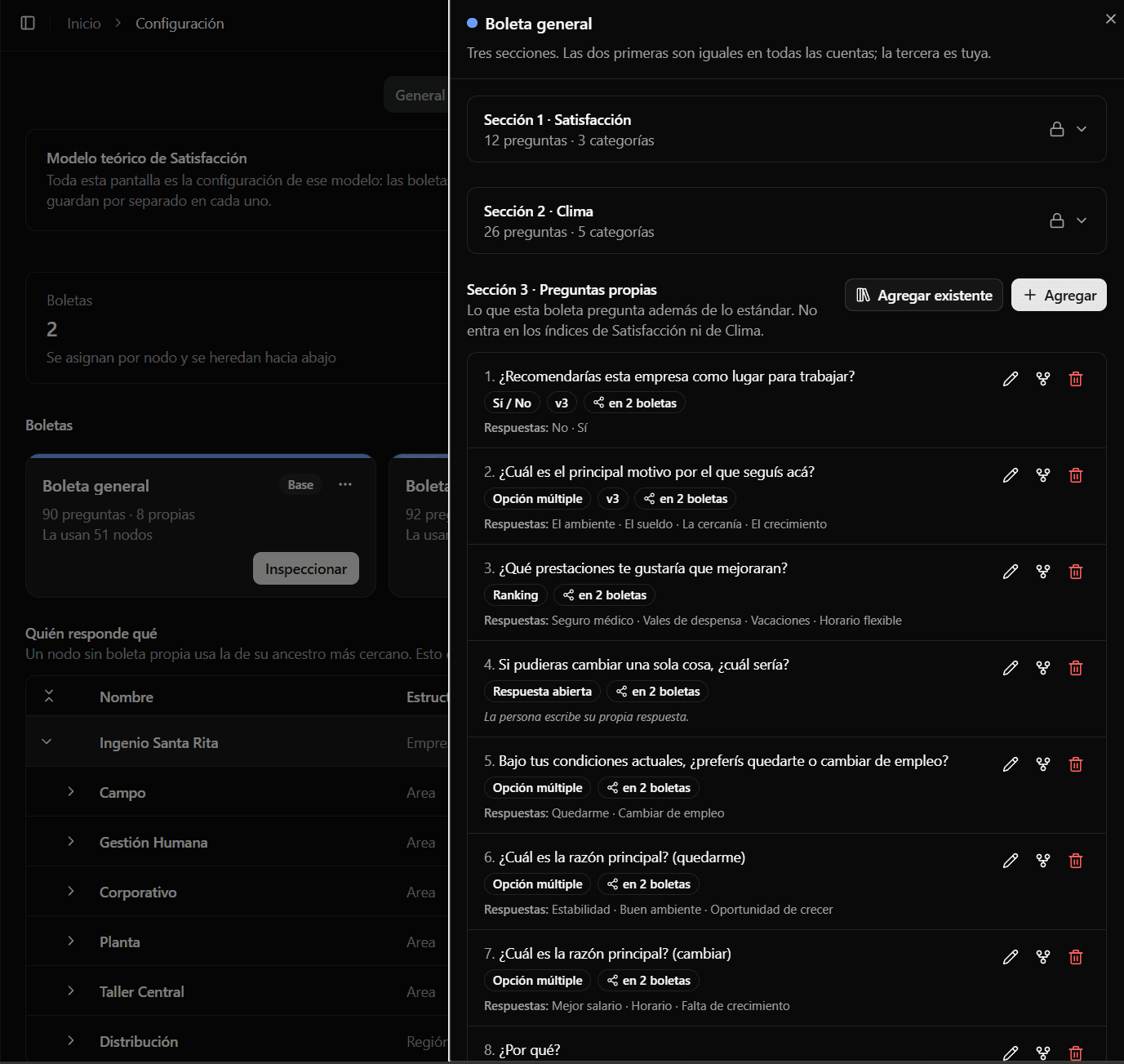
You can add questions of several types, including conditional ones: a yes/no that, depending on the answer, opens a follow-up question, and that one another.
4. The study
With the tree, the people and the questionnaire in place, the study is the easy part. A four-step wizard:
- Information — the study's name and dates.
- Scope — which node gets measured (and with it, everything below), and at what confidence level, which is what determines the sample size.
- Model — which theoretical model measures Satisfaction. It arrives preloaded with the one in force on that branch's questionnaire, so normally you confirm and move on. See Theoretical models.
- Review — the summary of all three decisions before confirming.
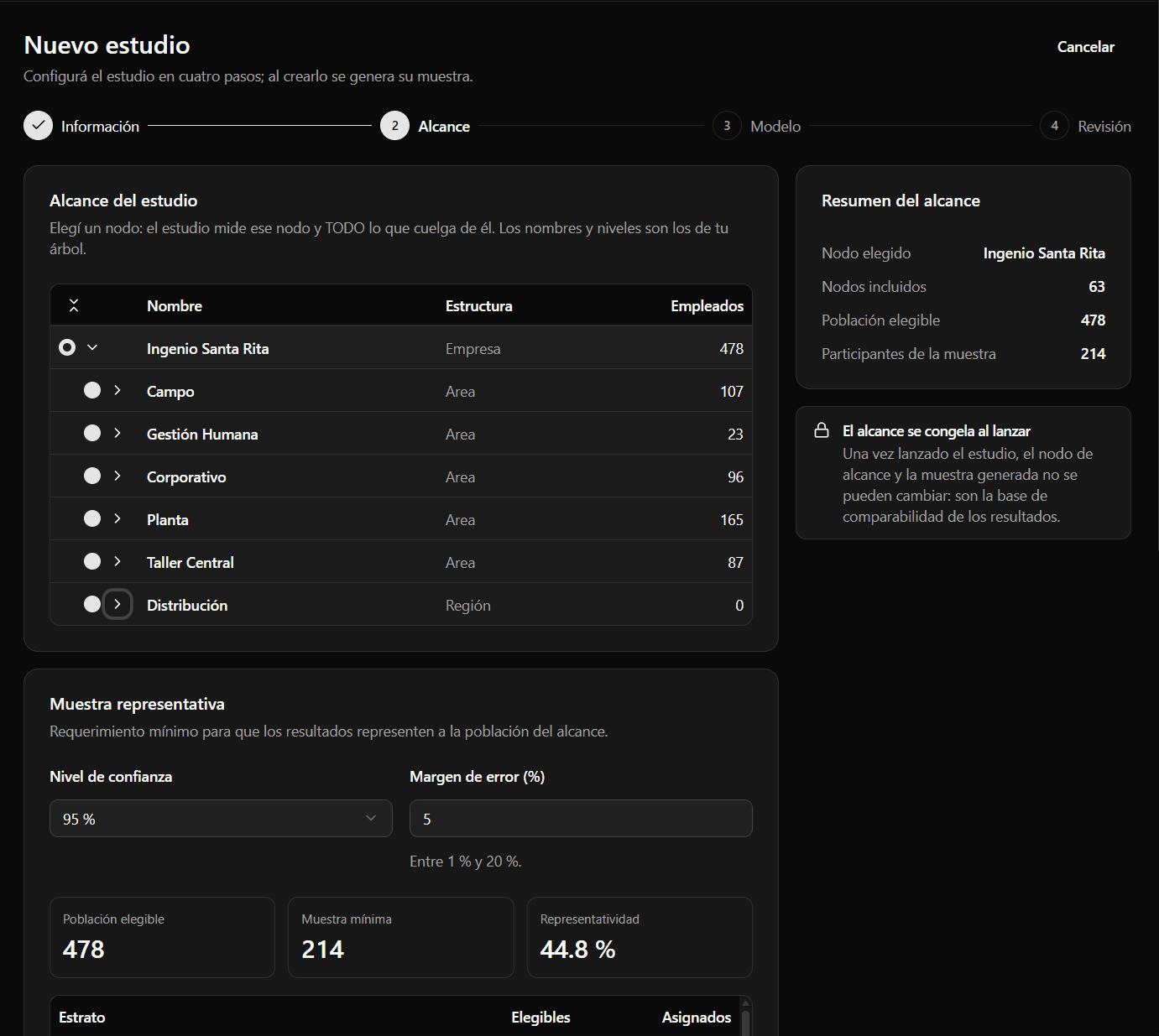
The eligible population you see at that step is not the node's whole roster. Two filters apply, and both are yours:
- Each person's status. Only people in a status with the «Can receive surveys» checkbox count, under Configuration → Payroll → Statuses. See The roster spreadsheet.
- The minimum tenure. Anyone who has been in the company for less than a certain time is not asked to answer yet: they are still getting to know their area. It is 3 months by default and changes under Configuration → General, between 0 and 60; at 0 nobody is left out for being new. It is measured with the roster's hire date, and anyone without a date loaded is in.
Both apply to the studies you set up from then on: changing them does not touch the sample of a study that already generated it.
On confirmation the sample is generated: not a random draw of names, but stratified sampling, which is what keeps a segment from being under-represented. The final screen shows you the actual sample that came out.
On launch, the study freezes. Scope, questionnaire and confidentiality threshold are fixed until it closes. This is not a limitation: if the first half of your people answer one questionnaire and the second half another, both groups get published together as if they were one, and the result means nothing.
While it is a draft everything can change. After launch, nothing.
What comes after
When collection ends, you finalize the study and that is when results are computed and stored. From then on you have both indices, the breakdown by branch and by category, the segments, and —from the second study onward— the historical series.
Two things before you launch
Tell your people. A survey that arrives with no context gets poor participation, and participation is what decides how many results you will be able to publish.
Check the threshold. If your tree has small branches, look at the number before measuring rather than after half the results come out hidden. See Anonymity and minimum N.